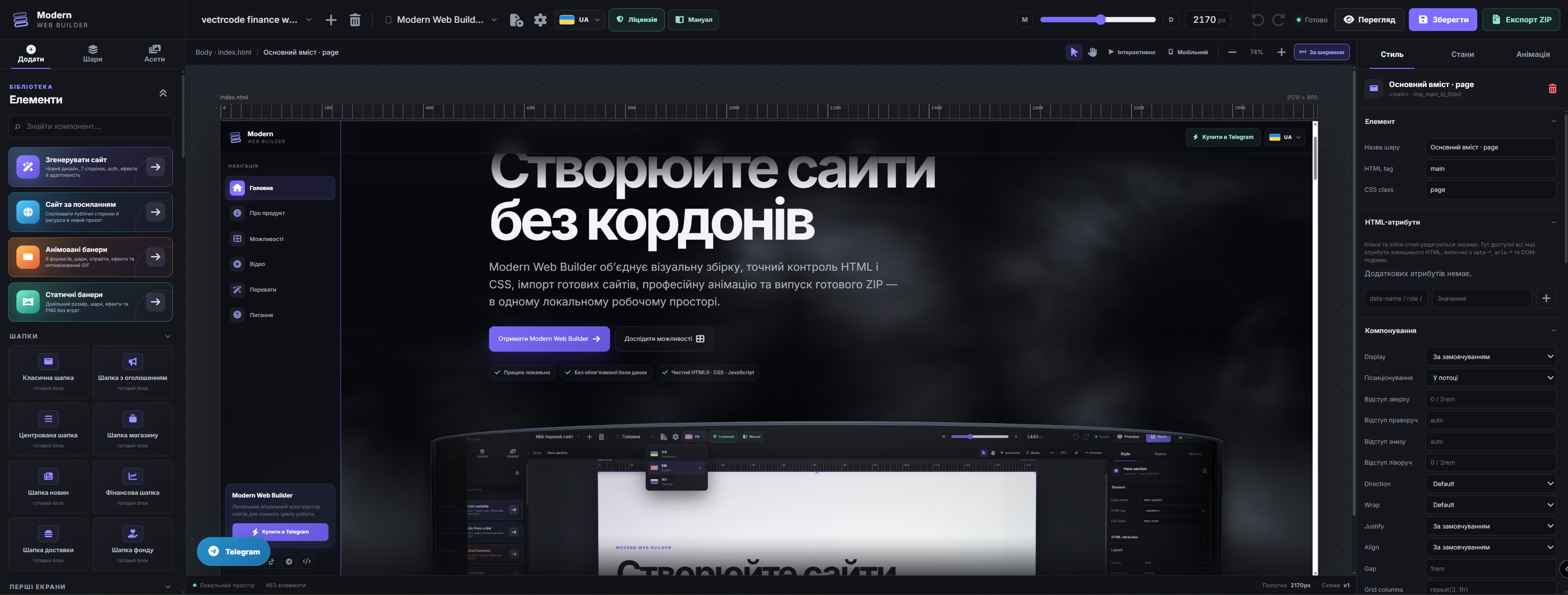
The editor runs locally in XAMPP, stores pages as a manageable JSON tree and renders the result on a live Canvas. You build the structure visually and export a portable website ready for conventional hosting.
Local visual website builder
Build websites without boundaries
Modern Web Builder combines visual construction, precise HTML and CSS control, existing-site import, professional motion and production-ready ZIP output in one local workspace.
Runs locallyNo mandatory databaseClean HTML5 · CSS · JavaScript
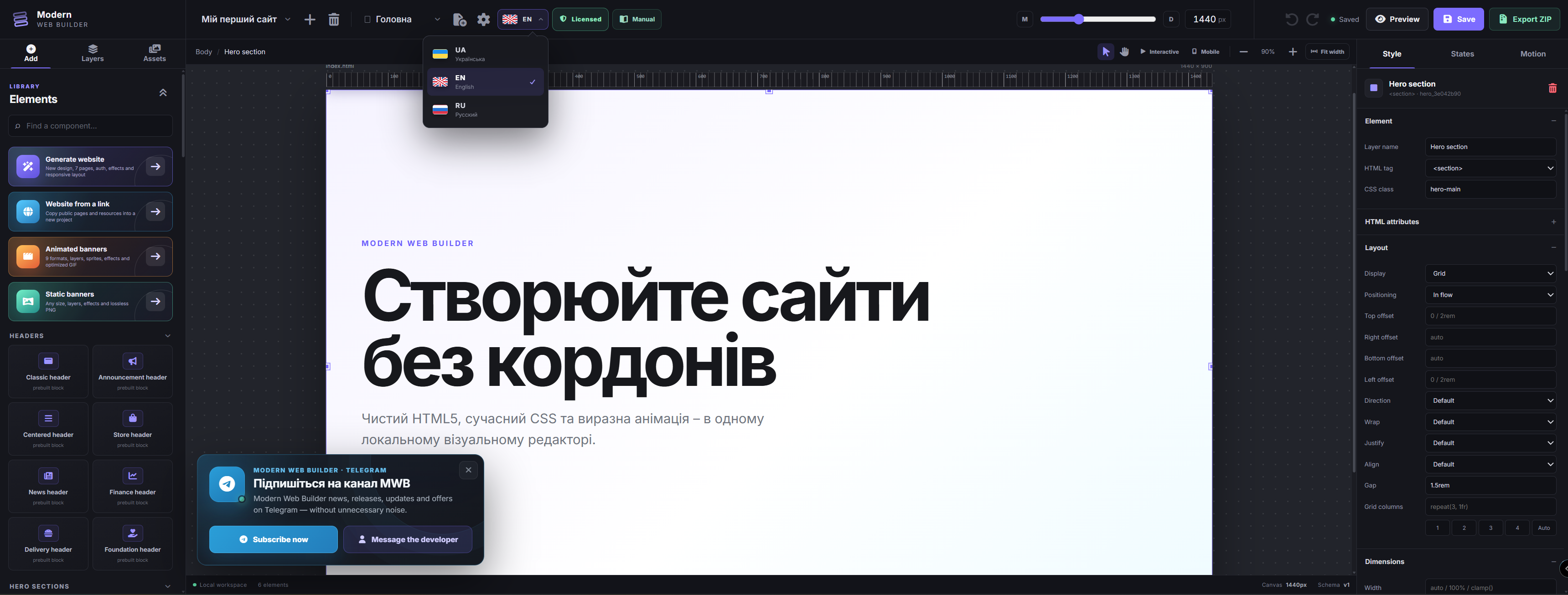
About the product
One tool for the complete journey from idea to finished website
The editor runs locally in XAMPP, stores pages as a manageable JSON tree and renders the result on a live Canvas. You build the structure visually and export a portable website ready for conventional hosting.
For beginners
Create pages from ready-made sections and change the design through clear panels without writing every rule by hand.
For designers
Work with grids, states, typography, effects, exact spacing and responsive behavior directly on the Canvas.
For developers
Import existing code, preserve file structure, add attributes and scripts, then export transparent HTML, CSS and JavaScript.
Full edition
Every paid Modern Web Builder capability
These are the verified tools in the full edition: editing and import, generation, professional graphics and production-ready export.
01
Visual construction and precise editing
Live Canvas
Build a semantic DOM visually: select, drag, move and resize elements directly on the page.
Precise mouse and keyboard control
Eight resize handles, snapping, absolute positioning, visual padding and margin editing, zoom and productive keyboard shortcuts.
Layer Navigator
Control the real DOM hierarchy: expand, hide, rename, remove and move nodes before, inside or after other elements.
Inspector: Style, States, Motion
Configure Grid/Flex, sizing, typography, backgrounds, borders, shadows, filters, transforms, transitions, HTML/ARIA/data attributes and CSS classes.
Responsive and interactive testing
Check widths from 320 to 3840 px, use a separate live 390 px mobile browser and run menus, forms, links, sliders and scripts.
Projects, pages and SEO
Manage multiple projects, create and duplicate HTML routes, set SEO titles, meta descriptions, document language, fonts and design tokens.
02
Components, design and interactivity
Extensive block library
Ready-made headers, hero sections, content blocks, forms, cards, catalogs, dashboards, CTAs and footers for many site types.
1,900+ fonts and 2,100+ icons
A complete Google Fonts catalog plus local Font Awesome Solid, Regular and Brands with search and exact variant selection.
Forms, popups and functional UI
Set action, method, native/AJAX and success behavior, configure popup triggers, and add menus, search, alerts, cart and other live interactions.
States and professional motion
Create hover, focus, active, before, after and :has() styles plus Page Load, ScrollTrigger, Parallax, magnetic, cursor-follow and 3D tilt motion.
Media manager
Upload JPEG, PNG, WebP, GIF, SVG, MP4 and WebM up to 25 MB, drag assets onto the Canvas and manage their references across pages.
03
Import and automatic creation
ZIP and RAR import
Open archives up to 1,000 MB while HTML pages, CSS, JavaScript, fonts, media, SVG, JSON, PHP handlers and nested folders retain their structure.
Editable website copy from a URL
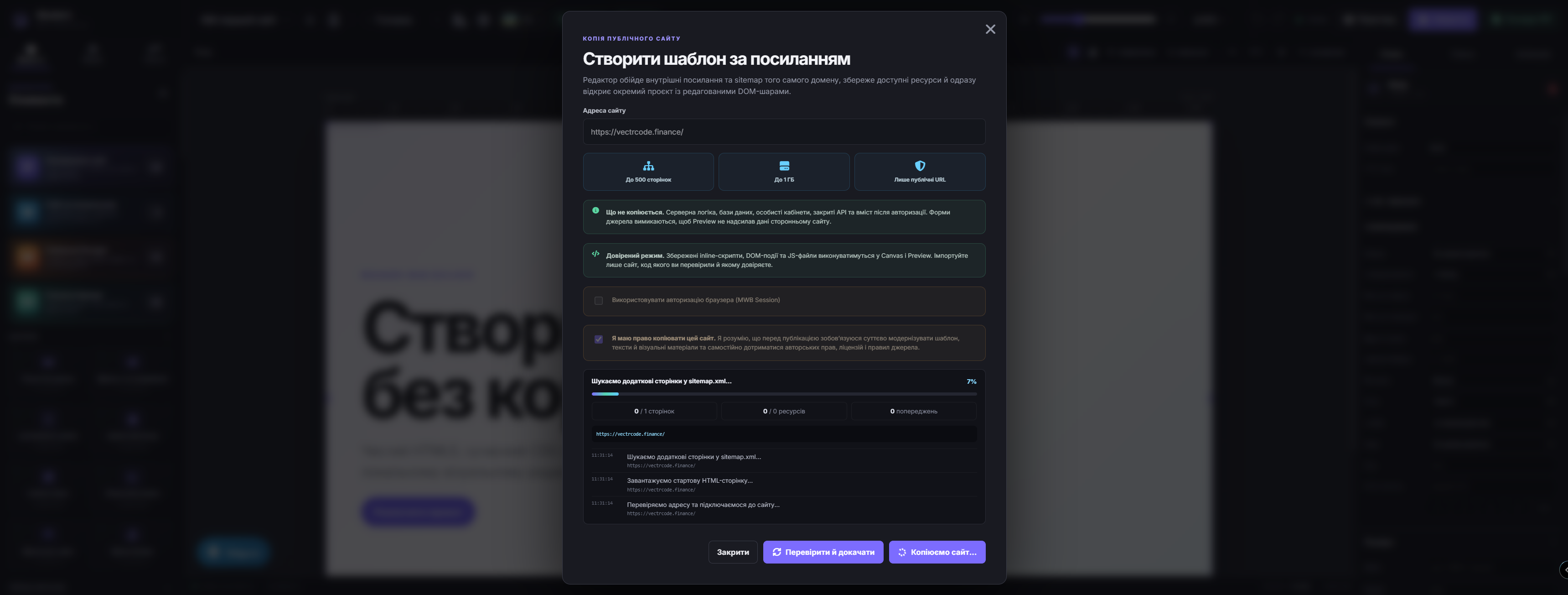
Import up to 500 accessible same-domain pages with HTML, CSS, JS, images, icons, video and fonts into a separate editable project.
MWB Session for your protected pages
Pass cookies from an active browser session through the official extension to the local importer and retrieve your own site after sign-in.
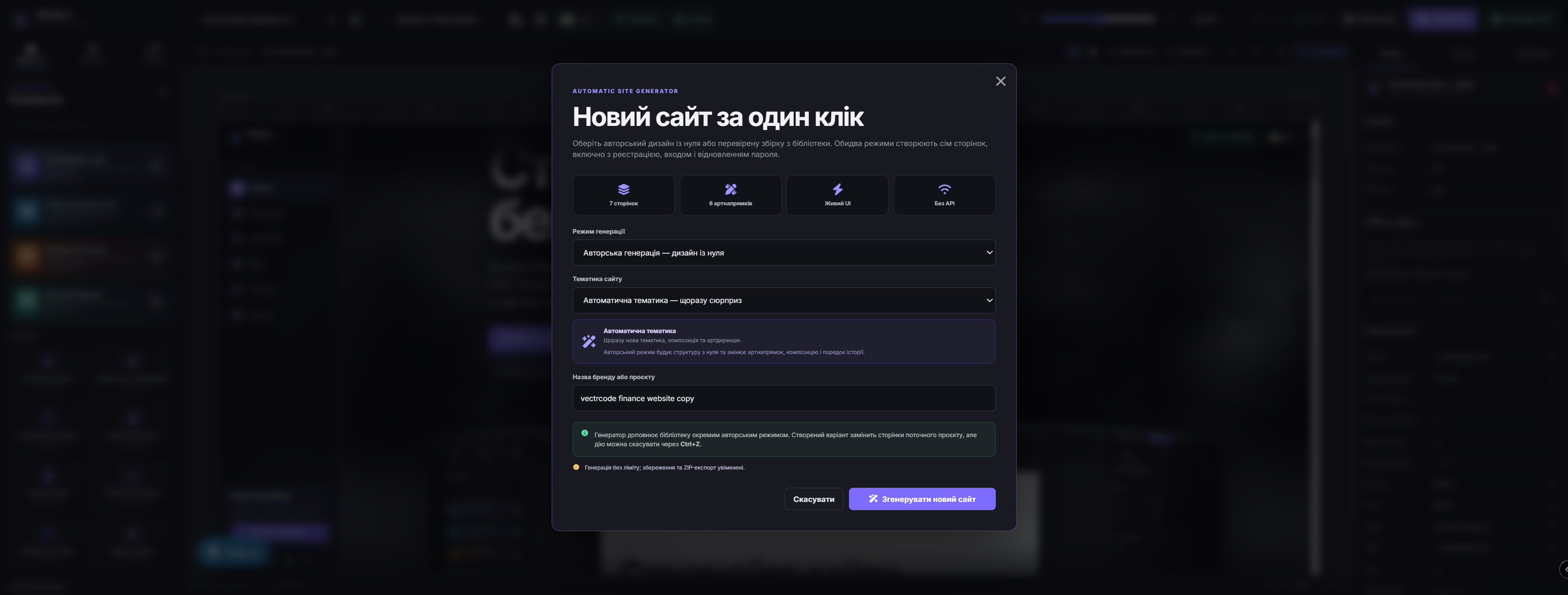
Seven-page website generator
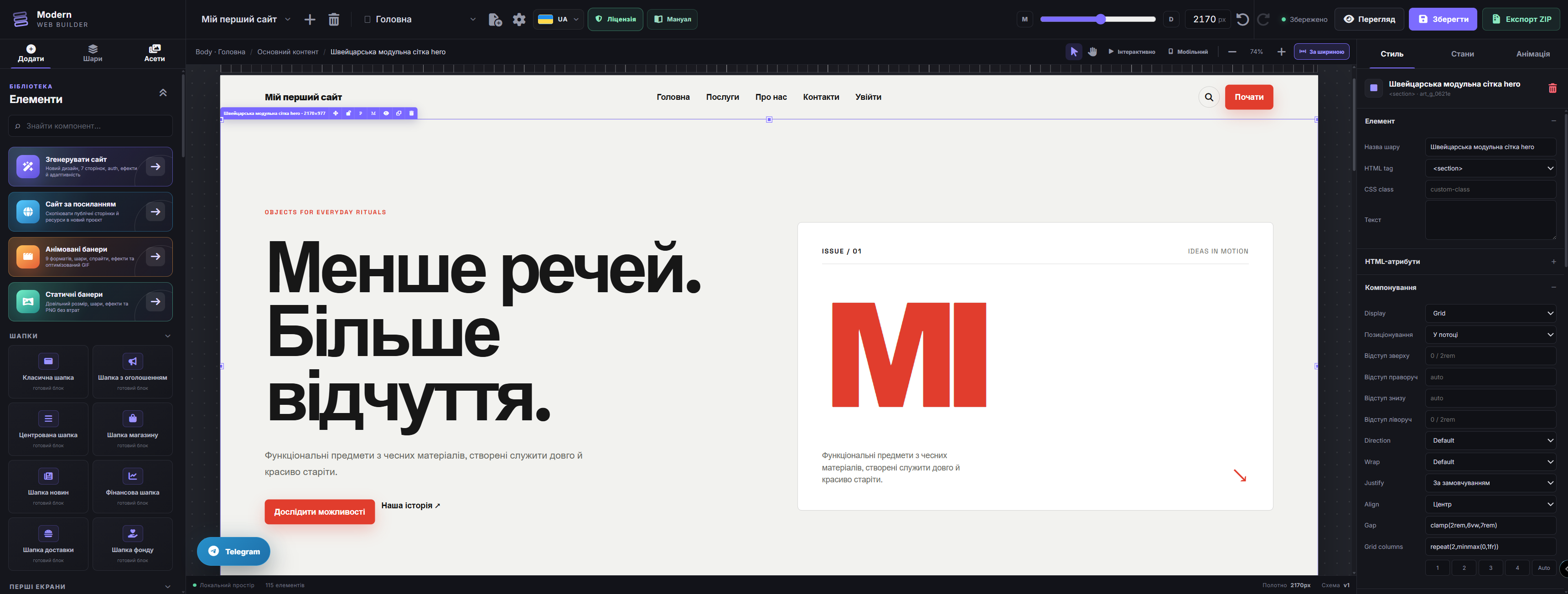
Choose original procedural generation or library assembly to create home, content, contact and authentication pages without an external API.
04
Saving, testing and release
Saving and history
Use manual save and autosave, Undo/Redo, duplication, cut, copy and paste across the editing workflow.
Full Preview
Open a compiled page without editor panels and test real styling, JavaScript, forms, navigation and external libraries.
Production-ready website ZIP
The compiler packages HTML pages, CSS, runtime JavaScript, assets and the local libraries actually used into a portable hosting archive.
05
Built-in advertising graphics studio
Animated GIF banners
Independent scenes, layers, timeline, text, buttons, images, sprite sheets, icons and shapes with up to 50 FPS, 256 colors and 30 seconds.
Static PNG banners
Create covers, posts, stories, thumbnails and ad creatives up to 8192×8192 px, save editable JSON and export a lossless PNG.
Video
See Modern Web Builder in action
The video presents the product’s visual workflow. It plays directly on the page and supports full-screen viewing.
Why Modern Web Builder
Visual-editor control without a closed ecosystem
01
Local workspace
Projects and assets stay on your own computer in XAMPP; everyday work does not depend on a cloud editor.
02
Transparent output
The final project is regular HTML5, CSS and JavaScript, not a page permanently tied to someone else’s service.
03
Do not start over
Import an archive or an authorized website URL and continue working with its DOM, styles, scripts and resources.
04
Pixel-level precision
Control viewport, grids, dimensions, spacing, states, container queries and fluid clamp values without guessing.
05
From idea to seven pages
Automatic generation builds a complete site structure that remains fully editable at every level.
06
Ready for hosting
Preview validates real behavior and ZIP export packages pages, styles, runtime and assets for deployment.
By the numbers
A substantial toolset inside one license
7pages created by the generator
320–3840px Canvas range
1,900+Google Fonts families
2,100+Font Awesome variants
500pages per URL import
20,000files per imported archive
50 FPSmaximum in GIF Studio
8192²maximum PNG Canvas
FAQ
Answers before you buy
Where does Modern Web Builder run?
It is a local PHP application for XAMPP on Windows. It requires Apache and PHP 8.2 or newer; ordinary site creation does not require MySQL or Node.js.
Can I edit an existing website?
Yes. The full edition imports ZIP/RAR templates and creates an editable project from accessible website pages by URL. Only copy websites and materials you are authorized to use.
What is included in the exported ZIP?
HTML pages, compiled CSS and JavaScript, assets and only the local runtime libraries used by the project. Imported templates retain their original file structure.
Can it build responsive websites?
Yes. Canvas supports 320–3840 px, a live 390 px mobile browser, Flex, Grid, fluid clamp and Container Queries, while Preview verifies real behavior.
Are the animations suitable for the final website?
Yes. The editor supports CSS states and Page Load, ScrollTrigger, Parallax, magnetic, cursor-follow and 3D tilt motion. Required runtime libraries are included in export.
Do GIF and PNG Studio modify website pages?
No. Both graphics studios keep independent projects. GIF uses scenes and a timeline; PNG creates one exact-size static lossless file.
How do I receive the product and get support?
Purchase, archive delivery, available updates and support requests are handled through the official Modern Web Builder Telegram store.
Ready to begin
Build your next website in your own workspace
Get the full Modern Web Builder edition, create projects locally and release production websites without depending on a cloud builder.
Buy in Telegram